


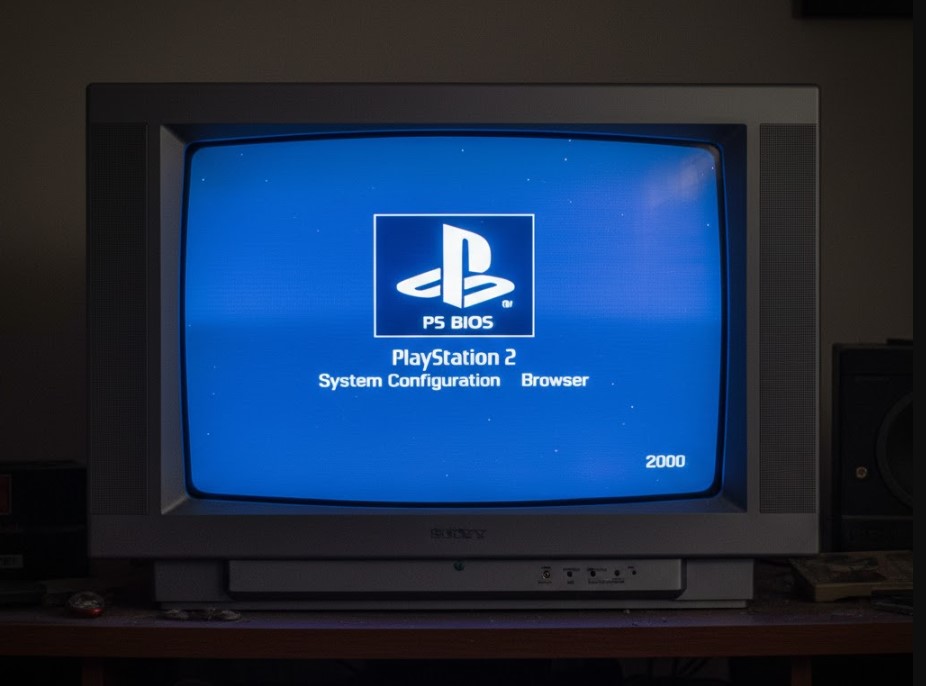
The PlayStation 2 (PS2) remains one of the most iconic gaming consoles of all time, beloved for its massive library of games and cutting-edge technology. However, to play PS2 games on modern platforms, many gamers turn to emulators. One essential element for running PS2 games through emulators is the PS2 BIOS. In this guide, we’ll explore what the PS2 BIOS is, why it’s necessary, and how to legally obtain it for your gaming needs.
Whether you’re a gamer looking to relive the golden age of PlayStation 2 or a developer working with emulation, understanding the PS2 BIOS is crucial for the smooth performance of your games. So let’s dive in!
What is a PS2 BIOS?
The PS2 BIOS (Basic Input/Output System) is a fundamental piece of software that allows the PlayStation 2 hardware to operate properly. It’s a system-level program stored in a chip on the PlayStation 2 console itself. When you boot up a PS2, the BIOS is the first thing that loads, initializing the console’s hardware and setting the stage for games and other software to run.
In the context of emulation, a PS2 BIOS file is needed to mimic the function of the original hardware on a PC or other devices. Without it, PS2 games won’t run correctly on emulators, and you won’t be able to enjoy the gaming experience as intended.
Why Is PS2 BIOS Crucial for Emulators?
Emulators like PCSX2 rely on the PS2 BIOS to replicate the behavior of the original PlayStation 2 console. Since the PS2 BIOS contains low-level code that initializes system hardware, it ensures that the emulator can properly process game data, rendering graphics, handling input, and executing game logic. The absence of a proper BIOS will lead to errors or complete failure of the emulator to run games.
In short, the PS2 BIOS is not just a convenience—it’s an essential component for emulating the PS2 gaming experience accurately.
Also Read: Jelly Bean Brains’ Real Name
How to Legally Obtain a PS2 BIOS
One of the most common questions in the emulation community is how to obtain the PS2 BIOS file legally. According to Sony’s policies, distributing the PS2 BIOS is illegal, meaning that you cannot download it from third-party sites without violating copyright laws. However, you can legally obtain the BIOS by dumping it from your own PlayStation 2 console.
How to Dump the PS2 BIOS from Your Console
To dump the PS2 BIOS from your own console, follow these steps:
- Prepare your PlayStation 2 console:
- You will need a PS2 console, a compatible memory card, and a USB drive formatted with FAT32.
- Install Free McBoot (FMCB):
- Free McBoot is a homebrew software that allows you to run unsigned code on your PS2. It’s essential for dumping the BIOS.
- Download the BIOS Dumping Tool:
- Using Free McBoot, download and run a BIOS dumping application on your PS2. This tool will extract the BIOS and save it to a memory card or USB drive.
- Transfer the BIOS to your PC:
- After the BIOS has been dumped, move the file to your computer. This file will be in the form of a
.binfile, which can then be used with emulators like PCSX2.
- After the BIOS has been dumped, move the file to your computer. This file will be in the form of a
By dumping the BIOS yourself, you ensure that you’re using a legitimate copy of the software, which complies with copyright law.
Legal Considerations for Using PS2 BIOS
While dumping the PS2 BIOS from your own console is legal, downloading the BIOS from an unauthorized source is not. Always make sure you’re following the laws regarding emulation in your country and avoid websites that distribute BIOS files without the proper rights.
Setting Up the PS2 BIOS with an Emulator
Once you have legally obtained the PS2 BIOS, setting it up with an emulator like PCSX2 is straightforward. Follow these steps:
Step 1: Install PCSX2 Emulator
PCSX2 is the most popular PS2 emulator, available for Windows, Linux, and macOS. Here’s how to install it:
- Go to the official PCSX2 website and download the emulator for your operating system.
- Run the installer and follow the on-screen instructions to complete the installation.
Step 2: Configure PCSX2 with the PS2 BIOS
- Open PCSX2 and follow the first-time configuration wizard.
- When prompted for the PS2 BIOS, navigate to the folder where you stored your legally dumped BIOS file.
- Select the appropriate BIOS region (e.g., USA, Japan, Europe) depending on the BIOS you dumped.
- Finish the setup, and you’re ready to start playing PS2 games!
Step 3: Run PS2 Games on PCSX2
Once your BIOS is properly configured, you can begin running PS2 games on your PC. You can either use ISO files (digital copies of games) or physical discs (if your PC has a compatible disc drive). PCSX2 offers various enhancements like upscaled graphics and faster gameplay, allowing you to enjoy PS2 games in higher resolutions than the original console.
Also Read: Tulsa King Season 2 Release Date
Troubleshooting Common PS2 BIOS Issues
While setting up your PS2 BIOS and emulator is relatively simple, you might encounter a few common issues. Here are some solutions to help you troubleshoot:
1. Emulator Not Recognizing the BIOS File
If PCSX2 isn’t recognizing your BIOS file, make sure it’s properly placed in the BIOS folder of the emulator’s directory. The file should have a .bin extension. Also, ensure you’ve selected the correct region for the BIOS during the setup process.
2. Game Performance Issues
Sometimes, games may run too slowly or with graphical glitches. To address performance problems:
- Make sure your computer meets the minimum system requirements for PCSX2.
- Adjust the emulator’s settings for better performance, such as enabling speed hacks or lowering internal resolution.
3. Crashes or Freezes
If your emulator crashes during gameplay, it could be a sign of an outdated BIOS or compatibility issues. Ensure you’re using the latest version of both PCSX2 and your BIOS. Also, try updating your graphics drivers and other system software to avoid conflicts.
Benefits of Using PS2 Emulators with BIOS
1. Enhanced Graphics and Performance
One of the main advantages of using an emulator like PCSX2 is the ability to enhance the graphics of PS2 games. The emulator allows you to increase the internal resolution, resulting in crisp, clear visuals far beyond the capabilities of the original PS2 console.
2. Save States and Cheats
Emulators allow you to use save states, letting you save your game at any point and return to it later. You can also use cheats and mods to alter gameplay, unlocking extra features and making games more fun.
3. Cross-Platform Play
Unlike the PS2 console, which is limited to specific hardware, emulators can run on a variety of platforms, including Windows, macOS, and Linux. You can play PS2 games on modern PCs, giving you the freedom to enjoy classic titles on more powerful machines.
Frequently Asked Questions
1. Can I play PS2 games without a BIOS file?
No, a PS2 BIOS is essential for running PS2 games on emulators like PCSX2. Without the BIOS, the emulator cannot function properly, and games will not run.
2. Where can I download the PS2 BIOS?
The only legal way to obtain a PS2 BIOS is to dump it from your own PlayStation 2 console. Downloading it from unauthorized sources is illegal and can lead to legal issues.
3. Do I need a powerful PC to run PS2 games on an emulator?
While a high-end PC is not required, a moderately powerful system will provide the best experience. To run most PS2 games smoothly, ensure your PC meets the minimum requirements for the emulator.
4. Can I play online multiplayer games with a PS2 emulator?
Some PS2 emulators, like PCSX2, support online multiplayer through third-party plugins. However, online gameplay may be limited compared to the original console, and setting up online functionality can be complex.
Conclusion
The PS2 BIOS is a critical component of playing PS2 games on emulators, allowing you to relive the glory of this iconic console on modern hardware. Whether you’re a nostalgic gamer or an emulation enthusiast, understanding the role of the PS2 BIOS is essential for optimizing your gaming experience.
By following the legal steps to obtain the BIOS and setting up an emulator like PCSX2, you can enjoy PS2 classics with enhanced graphics, performance, and new features. Remember to troubleshoot common issues, and you’ll be ready to play your favorite PS2 titles with ease.
Also Read: Crackstreams 2.0: Revolutionizing the Streaming Experience
